
Documentation
Atlas
Atlas draws your whole Space on one canvas, and its director changes templates, roles and prompts for you from a request in plain words.
Atlas draws your whole Definition Space on one canvas, so you can see how it fits together: which roles use which prompts, Skills and tools, which templates the roles work in, and which Plugins they rely on. Its director turns a request in plain words into changes to the Space, made in front of you.
Open it with the Atlas tab next to the editors for roles, prompts, Skills, MCP and templates; the page is titled Definition Atlas. With the developer view on, Teams and tools lists it too, under In the developer view.
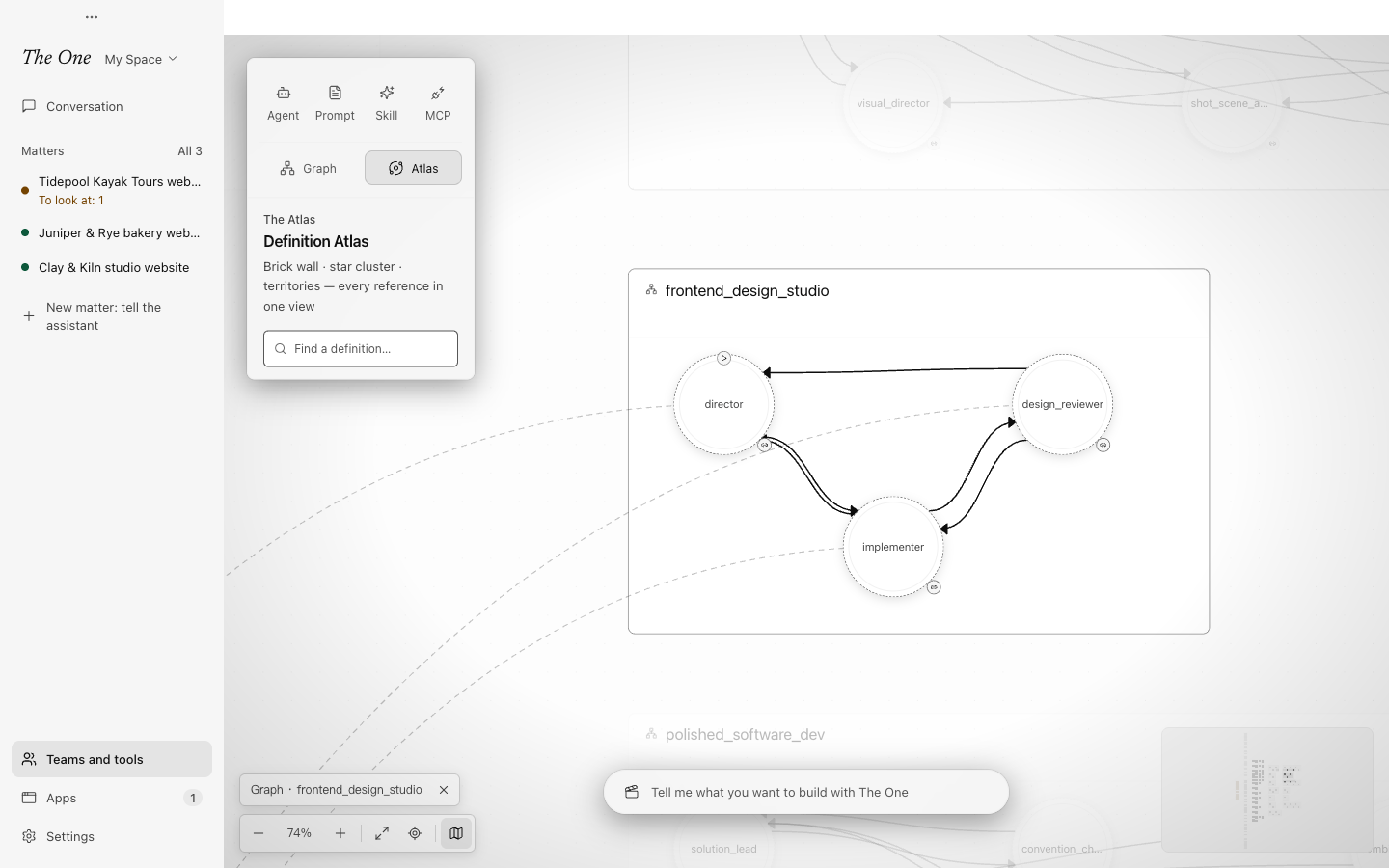
The canvas
Each kind of definition has a zone of its own: Prompts, Skills, MCP, Agents (roles), Graphs (working-group templates) and External Plugins, the Plugins your roles use from outside the Space. Prompts, Skills and roles kept in folders are grouped by folder. Lines show who uses what and which role extends which.
- Select an item to light up everything connected to it. A prompt, Skill, MCP server or Plugin also opens a panel that lists what uses it. A Plugin's panel says whether it is installed, opens the roles and templates that use it in their editors, and has Open in Plugin Center.
- Zoom out for the shape of the whole Space and in for the details; Back to overview fits everything on screen again.
- Find a definition… jumps to any item by name.
The director
The bar at the bottom of the canvas (The Director) takes a request in plain words, such as "add a reviewer to the research template" or "split this prompt in two". The director lays out its plan on the right and then makes the changes in front of you: the camera follows each edit, and the canvas stays locked until it is done. New chat starts a fresh conversation; earlier ones stay under Atlas Sessions in All runs. See All runs (developer view).
The director is a run of the built-in atlas working-group template, which every Space carries. You do not have to open Atlas to use it: ask the main assistant for a new template or role, and it may make the change itself or give the work to the Definitions studio, an atlas working group. See The main assistant.
Changes stay safe
The director changes the Space in one batch. It checks the whole Space before writing anything, and if the batch would break a reference, or the Space changed in the meantime, nothing is written. Every change it makes is recorded in Settings › Data and undo › Action log, where you can undo it. See Action log, undo and stopping.
Atlas can show the official Space, but changes need a Space of your own: in the read-only official Space, the director's edits are refused. See Definition Spaces.