
Documentation
Roles
A role is one Agent of a working group written down: its model, prompts, Skills, built-in tools, external tools and Plugins. How to set one up.
A role is one Agent of a working group written down: what it does, which model it thinks with, and which prompts, Skills, tools and Plugins it can use. Every node of a working-group template is bound to a role, so one role can serve in several templates, and every Agent that plays it starts from the same definition. See Working-group templates.
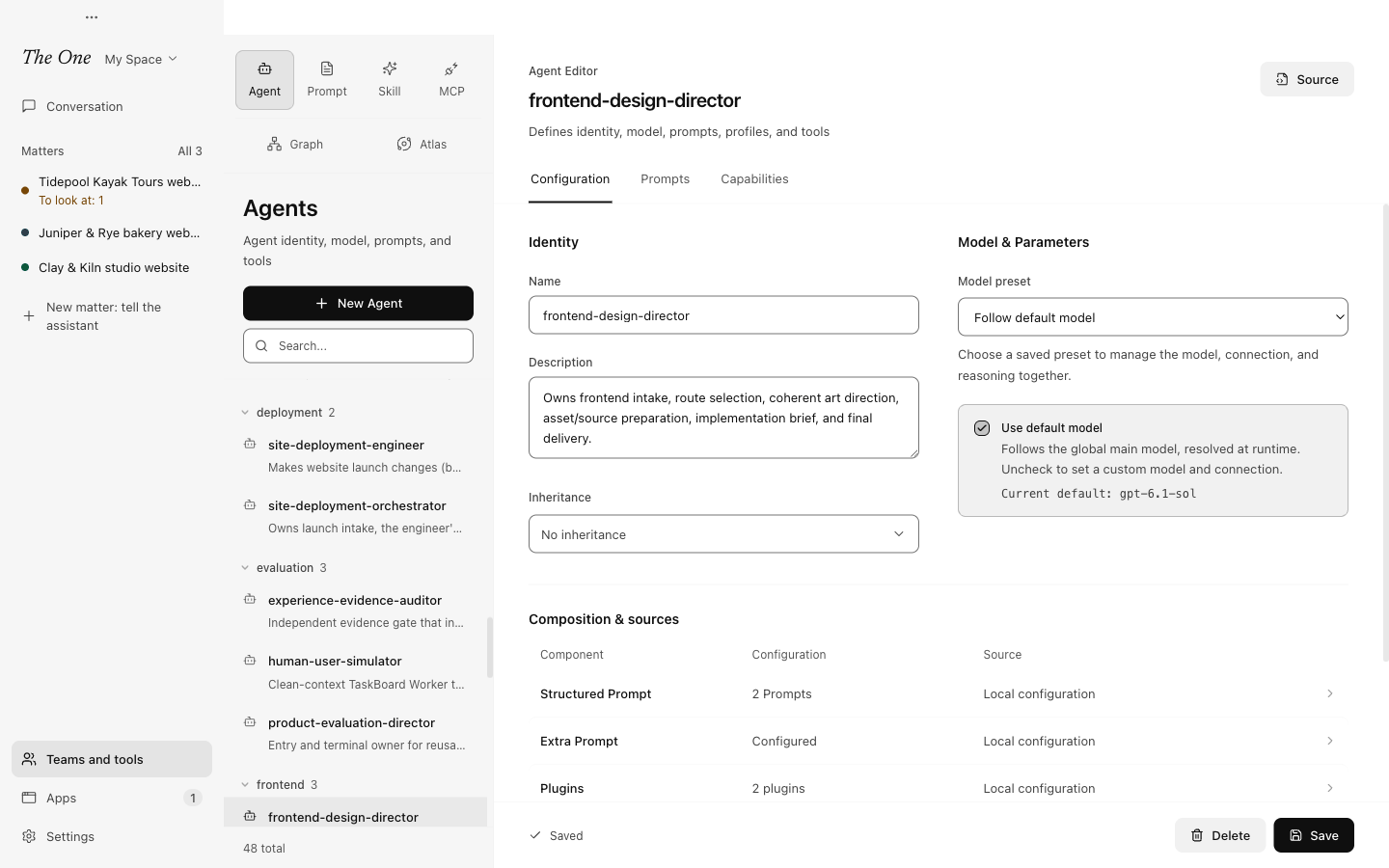
Teams and tools calls them Roles; the editor (its tab is Agent) calls each one an Agent preset. Open one from Teams and tools › Roles, or choose New Agent above the list.
The editor has three tabs: Configuration, Prompts and Capabilities. Each change applies when you save: groups formed afterwards use it, and Agents already at work pick it up from their next turn, while a reply already being written finishes as it was.
Configuration
Name and description
The Name is the role's ID. Renaming it later also updates the roles that inherit from it and the templates that use it.
The Description says what the role is good at. Agents read it too: an Agent that may hand work to this role finds the description in its list of handoff targets, so write it for them.
Inheritance
Under Inheritance, pick another role and this one starts from it. Each part then shows Inheriting or Override: switch a part to Override to set it here. A family of similar roles can share one base and keep only their differences.
Model
Under Model & Parameters a role gets its model in one of three ways:
- A model preset. Pick a saved preset under Model preset: model, connection, reasoning and service tier come together. When the preset changes, the role follows from its next turn.
- Use default model. The role follows the global default, which you set in Settings › Models and sign-in › Default model or from the model menu under the main assistant's composer. The editor shows the Current default.
- Its own settings. Leave both off and set API Config (the connection), Speed / service tier, Model and Reasoning (thinking) here.
There is no temperature setting: the provider uses its own default.
When an Agent starts a turn, the first model that applies wins: a model the main assistant chose for this one run, then the role's own, then a default model set for the run in All runs, then the template's default preset, then the global default. So a role that names no model takes whatever the template or the global default says, and the main assistant can put one working group on a stronger model without touching the role. See Models.
Composition & sources sums up what the role is made of and where each part comes from: its own settings, or the role it inherits from. Select a line to jump to that part.
Prompts
- Structured Prompt mounts prompts from Teams and tools › Prompts. Select one to preview it; Edit opens it in the prompt editor. Several small prompts combine better than one large one, and a prompt mounted by many roles is changed in one place. Every role in the official Space mounts the shared prompt
Agents' cognition, for example. - Extra Prompt is a short prompt for this role alone.
An Agent reads the role's own prompt (its Extra Prompt) first, then its mounted prompts, then any text its template adds for that node. See Skills and prompts.
Capabilities
What a role can do is what you give it here. Nothing asks for approval when it uses what it has: every call is recorded in Settings › Data and undo › Action log, and changes to files can be undone there. See Action log, undo and stopping.
Plugins
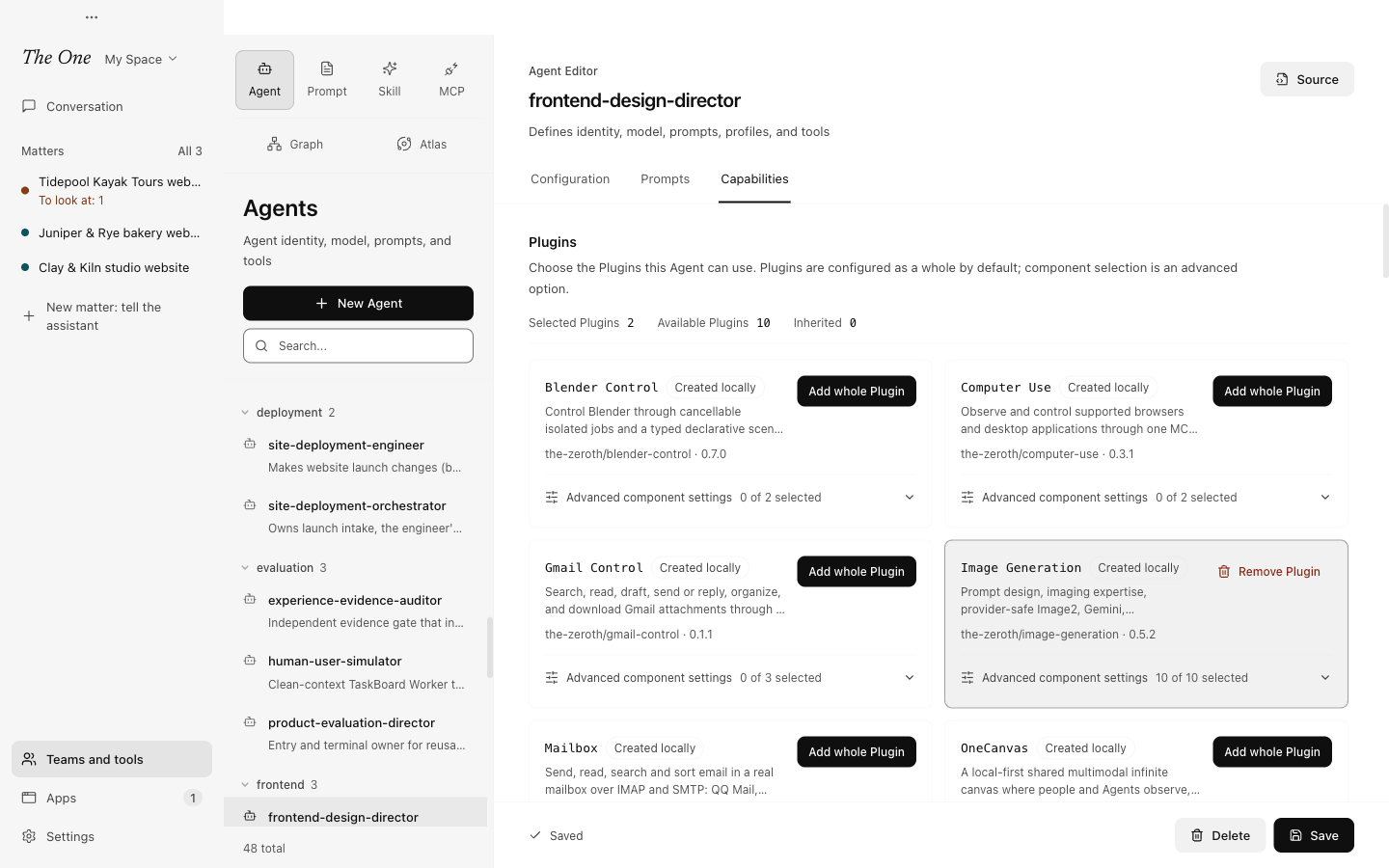
Choose the Plugins this role can use. A Plugin goes in whole, with its Skills, scripts, external tools, apps and connections: Add whole Plugin adds it, and Advanced component settings picks single components when you need to. A Plugin marked Required has to be installed for the role to run. Open Plugin Center installs Plugins and manages their connections.
You can also start from the other side: Add to Agent in the Plugin library adds a Plugin to the role you pick. See Plugins and Apps.
Tools
Tools are the built-in toolsets: reading and writing files, running commands, the web, talking to you, handing tasks out on a TaskBoard, starting sub-Graphs, memory and more. Expand one to see its Exposed Functions and switch single functions off, fill in its Instance Config, or add a usage constraint to its description.
Tools marked Full local access act with your user account's rights on files, the network and processes. The marking discloses what the tool can do; it does not limit it.
Skills
All gives the role every Skill in the Space, including Skills added later; Custom picks them one by one. A Skill sits in the Agent's context as a short card and is opened only when the work calls for it, so a long list costs little.
MCP Servers
All enables every external tool server in the Space, including servers added later, which reach the Agent from its next turn. Custom picks servers one by one. The External tools (MCP) page only defines the connections; this is where a role gets them.
In the official Space, the main assistant and the General group's assistant get every built-in tool, Skill and server, while team roles get only what their job needs. The software team's solution lead, for example, has files, commands, the web, a TaskBoard, the graph tools and the Chrome DevTools server.
Source, the built-in roles and the official Space
- Source shows the role's file as it is saved, read-only, with its path in the Space.
- The built-in roles (
main-assistant,chat-assistant,atlas-director,nightly-reviewerand the evolution lab's three) are listed like any other and can be edited in your own Space. The main assistant is the conversation everything reaches, so change it with care. - In the official Space the editor is read-only. Duplicate to edit copies the Space and switches to the copy. See Definition Spaces.
Who else edits roles
You do not have to edit roles by hand. The main assistant writes and changes roles when you ask, and The Director bar on the Atlas canvas edits them in front of you. The evolution lab can change a role when evidence shows it should. See Evolution: the lab and the nightly review.
A role, together with its template and the other members, makes up the gene of a reusable working group: see A-Genetic Engineering.