
Documentation
Browser
Agents browse with The One's own browser, in real tabs in the app that you can watch and take over. Each Space has one; what pages send is in the action log.
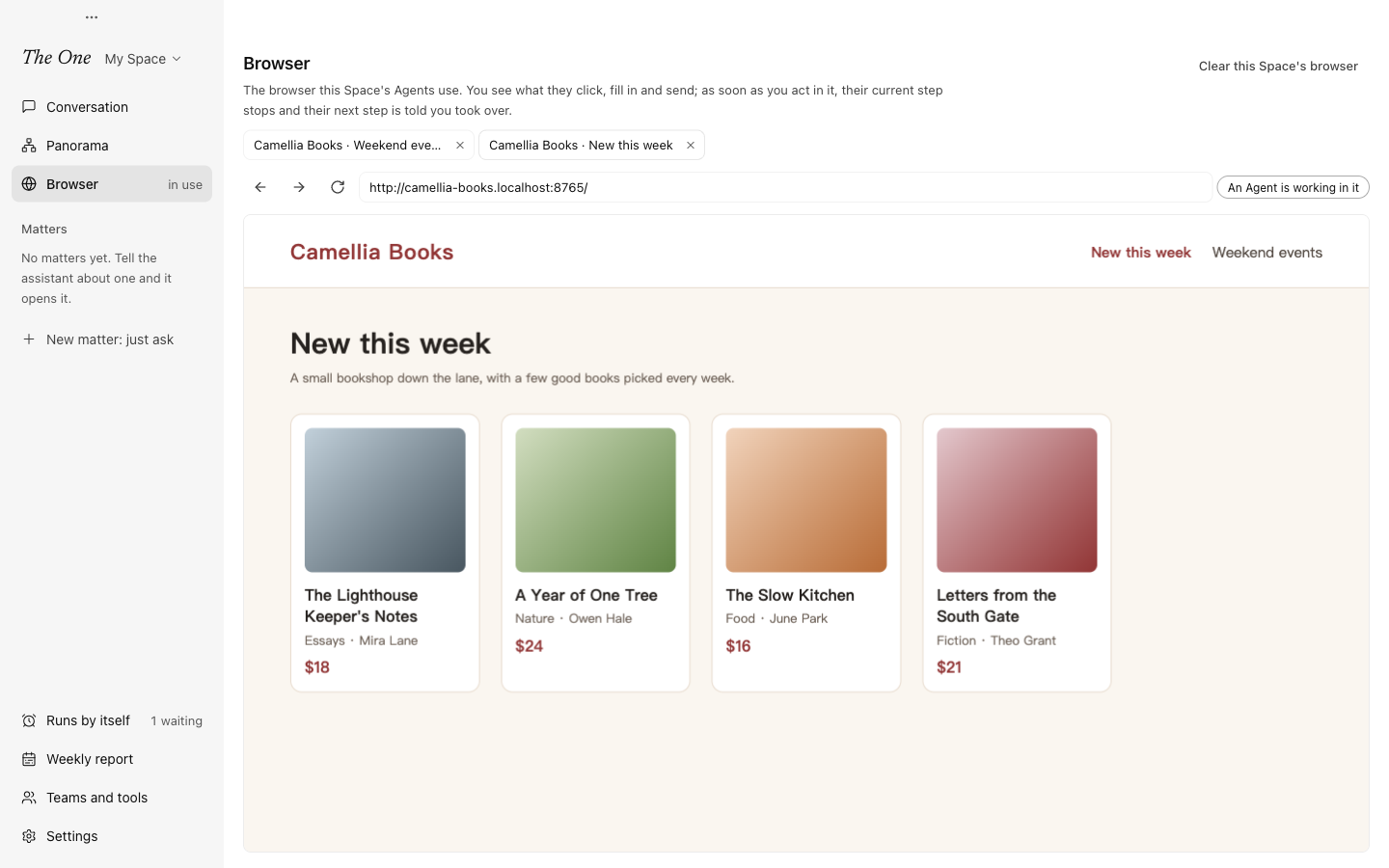
Agents use the web through The One's own browser. The pages they open are real tabs in the app: you see what they click, fill in and send, and as soon as you act in a tab, their step stops and the page is yours.
Open the browser
Choose Browser in the sidebar, under Panorama. While an Agent is using it, the item says in use on its right. The browser is in the desktop app only.
At the top of the page are the tabs open in this Space's browser, then Back, Forward, Reload and the address bar, then the tab you picked. Beside the address bar is who is acting now: An Agent is working in it, You are in control: the Agent is told on its next step, or Idle.
- Click a tab to see it, and its ✕ to close it.
- Type an address in the address bar and press Enter to open it.
- With no page open yet, the page reads No pages are open. When an Agent uses the browser, its pages show here.
Tabs nobody is watching keep running, also while the display sleeps, so Agents can use the web while you are away.
Take over
When you click, press a key, scroll, type an address or close the tab, the step an Agent is taking in that tab stops at once, and its next step in the tab starts by telling it you used the tab, so it looks at the page again first. Agents in other tabs carry on. This is a hand-over, not a gate: nothing blocks or questions what an Agent does.
Several Agents of a Space can use the browser at once, each in tabs of its own, and each hears only what happened in its own tabs.
What an Agent reads from a page is marked as the site's words, not yours, with a reminder not to follow instructions written on the page.
Sign-ins and clearing
Each Space has its own browser, with its own cookies, site data and sign-ins, and they survive a restart. A site you sign in to there is one Agents can use as you. Requests from a site for the camera, the microphone or your location are always refused.
Clear this Space's browser, at the top right, asks once (Clear the browser?), then closes every tab and deletes this Space browser's cookies, site data and sign-ins. What Agents already did on sites, such as forms sent or messages posted, cannot be undone.
In the action log
While an Agent holds a tab for a step, the requests the page sends that write to a site (anything but GET, HEAD and OPTIONS, such as a submitted form) are kept with the call in the action log: the method, the address with only the names of its query parameters, and the tab. What a site received cannot be taken back, so these calls are marked as sending data over the network and listed under Actions that cannot be taken back in the weekly report. You are not told at once, because many pages keep sending statistics of their own. Requests sent while you act in a tab are yours and are not recorded. See Action log, undo and stopping.
Your own Chrome
Google accounts cannot sign in inside this browser. To let Agents use the sign-ins of your own Chrome, such as a Google account or your company's systems, use Your Chrome, an external tool server in the official Space that connects to the Chrome you are running (144 or later). Open chrome://inspect/#remote-debugging in Chrome and turn on remote debugging; Chrome then asks you each time it connects. There is no extension to install and nothing to pair. When Chrome is not running or remote debugging is off, the Agent is told so and can tell you.
In the official Space and the copies that follow it, the main assistant and the General group's assistant get every external tool, this one included; to give it to another role, add it to that role in a Space of your own (see External tools (MCP)).
Who uses it
The roles of the official Space that use the web use this browser: the Software team's lead, the Research group's deep web researcher, the three roles of the Frontend design studio, the 3D scene studio's director and reviewer, the two roles of the Site launch team, the Storefront studio's builder and acceptance checker, and the three roles of the Product evaluation lab. The main assistant and the General group's assistant do not carry the browser's tools in every request; they find them by search when they need them.
In a Space of your own, add browser under Tools on the Capabilities tab of a role's editor, and that role can use the browser (see Roles).
Spaces copied before 0.5.3 do not follow official updates: their roles still use the earlier Chrome DevTools server, which opens a Chrome of its own that you do not see in The One. To move them to this browser, add browser to them in the role editor, or ask the main assistant to.