
Documentation
MCP
Import and manage common MCP tools.
Define MCP server connections here. A local stdio server takes a command, args, environment variables, and a working directory; a remote server uses Streamable HTTP with a URL, headers, or a bearer token. Tools are discovered automatically on save, and you can re-enumerate anytime with "Discover Tools". Which Agent can use which server is enabled in the Agent editor — this page only owns the connection itself.
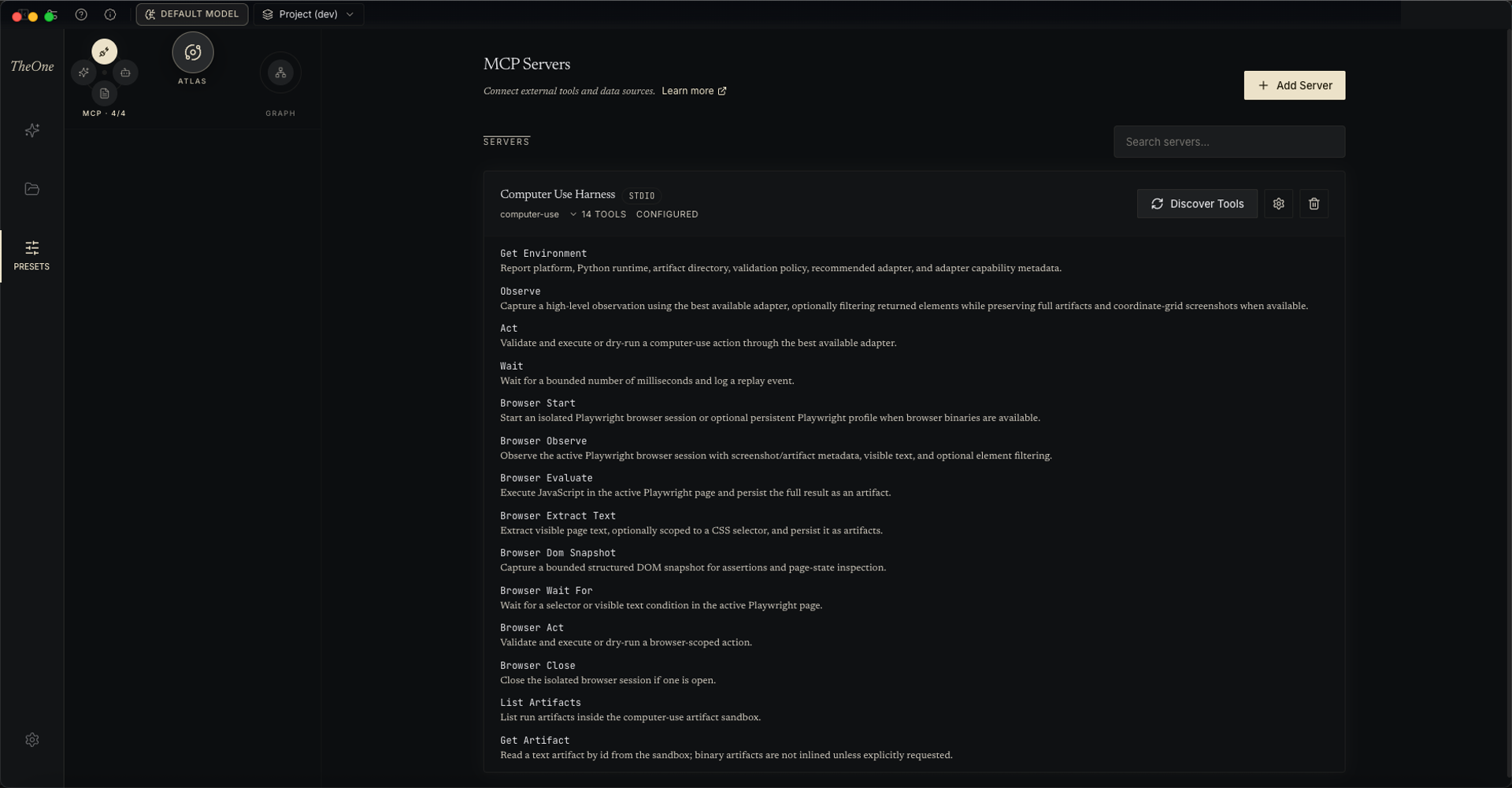
Each MCP server runs as a persistent session, so stateful servers — browser automation, desktop control — keep their state across tool calls instead of cold-starting every time. Tools are discovered automatically when you save a server, and an Agent can also attach a server to itself at runtime: a server bound with the mcp:* wildcard is picked up on the Agent's next cycle, with no need to restart the conversation. To keep the prompt lean, every MCP tool is first advertised as just a name and a one-line description; the Agent finds tools with search_tools and pulls a tool's full schema with load_tool (effective from the next cycle). Built-in tools always carry their full schemas.
Not just Tools: Agents can also list and read an MCP server's Resources, and fetch its Prompts. A local stdio server without an explicitly configured working directory gets its own folder under the app's mcp-workspace, so scratch files never end up scattered across your project tree. The default Space ships with a Computer Use Harness server (desktop control plus browser automation: observe the screen, click and type, drive a Playwright browser); add anything else as you need it — the built-in Agents bind mcp:*, so any server you add is picked up automatically.