Documentation
Run
Start a Graph run from the Sessions page, observe it from a god's-eye view, and step in anytime.
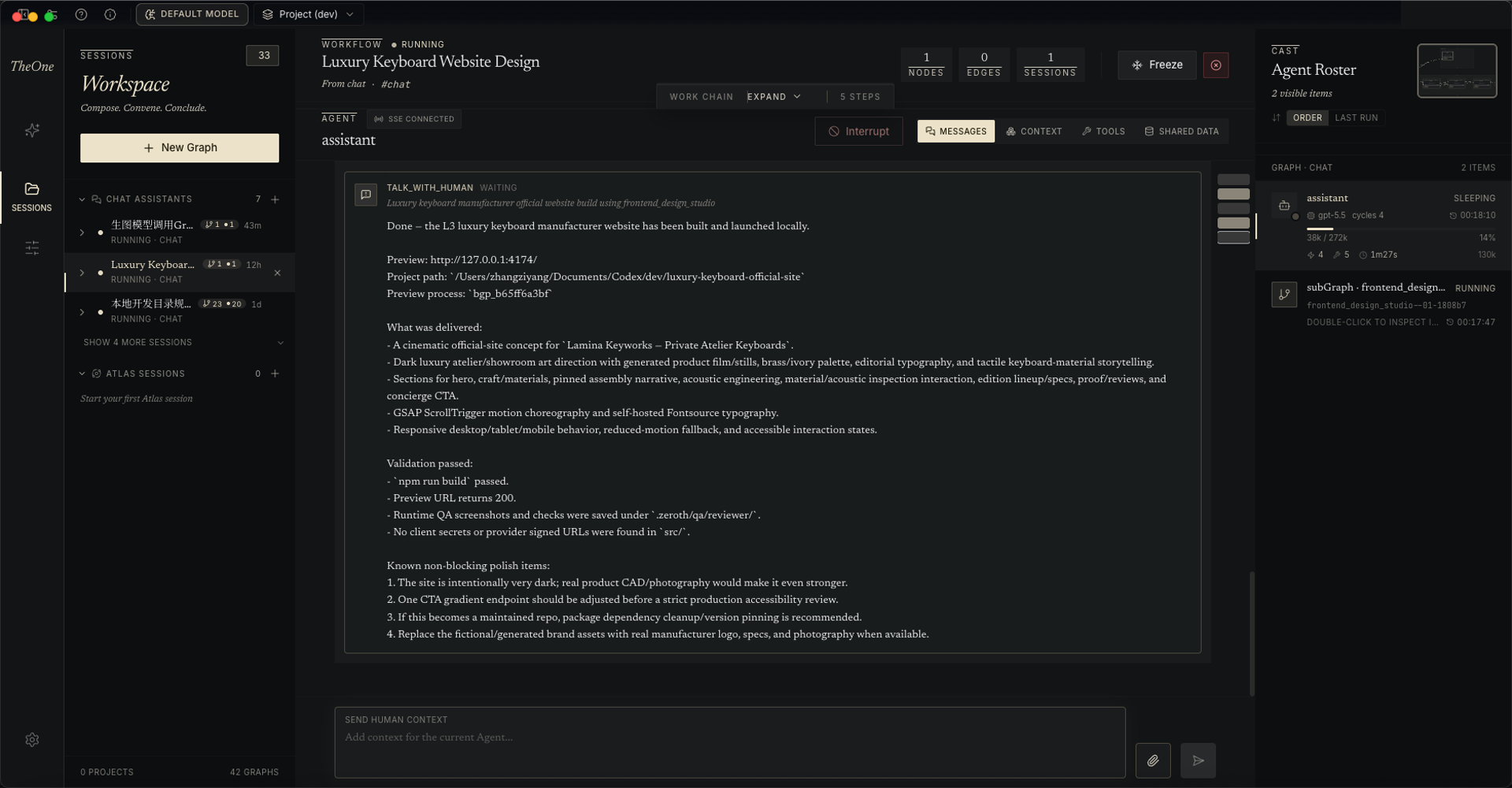
Create a new Graph instance from the Sessions page: pick a Graph blueprint and an optional project path — leave it unspecified and the Agent chooses where to work on its own. Sessions are grouped by project, sub-Graphs nest under the session that stood them up, and conversations with the built-in assistant and Atlas sessions live here too, sorted by recent activity.
The difference from other software is transparency. You can clearly see the order and style of Agent interactions, plus the full context of each Agent:
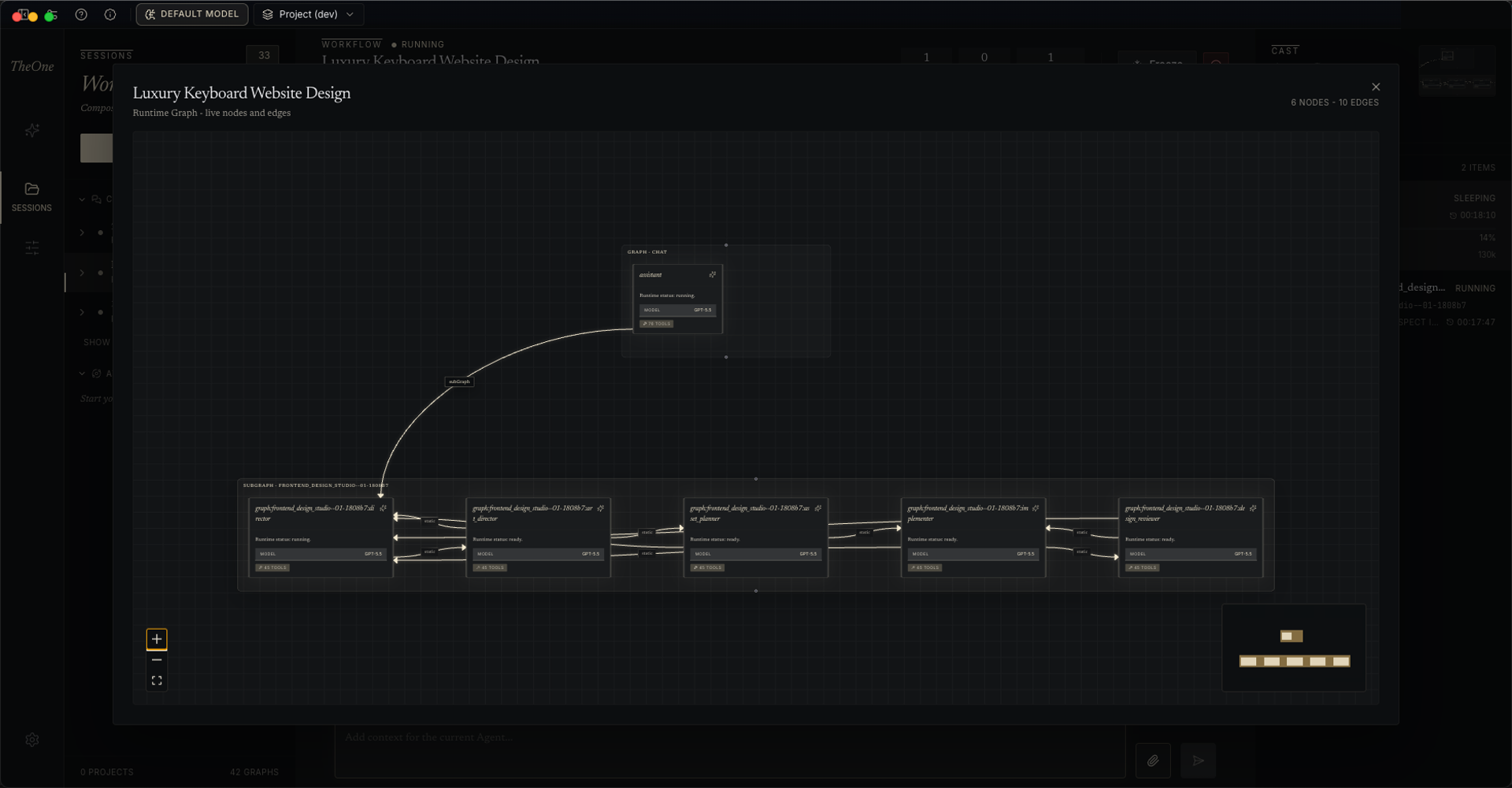
- The Work Chain shows the run's execution path; the Agent roster lists every awakened Agent with its LLM calls, tool calls, and token usage; and you can open the Graph topology view at any time to see the current structure.
- Open any Agent and the inspector offers four tabs: Messages, Context, Tools, Shared Data. Messages show plain-text reasoning, tool calls rendered as JSON trees, and Meditated markers — where the Agent compressed its own context, with before/after message counts.
- You can step in anytime: send supplementary context to any Agent (drag in images and files), and answer its questions, confirmations, and choices. When an Agent calls a human-interaction tool while the window is in the background, the desktop raises a native system notification — one click brings the app back to the foreground. Runs can be paused, resumed, and cancelled.
- Going further: edit any message of your own and resend it — that message and the history after it are discarded and regenerated — or fork the Agent at any message into a new node in the same Graph, with history kept up to the selected message; the new node is born disconnected and inactive.