
Documentation
Agent
Create Agent presets with independent models, prompts, and tools.
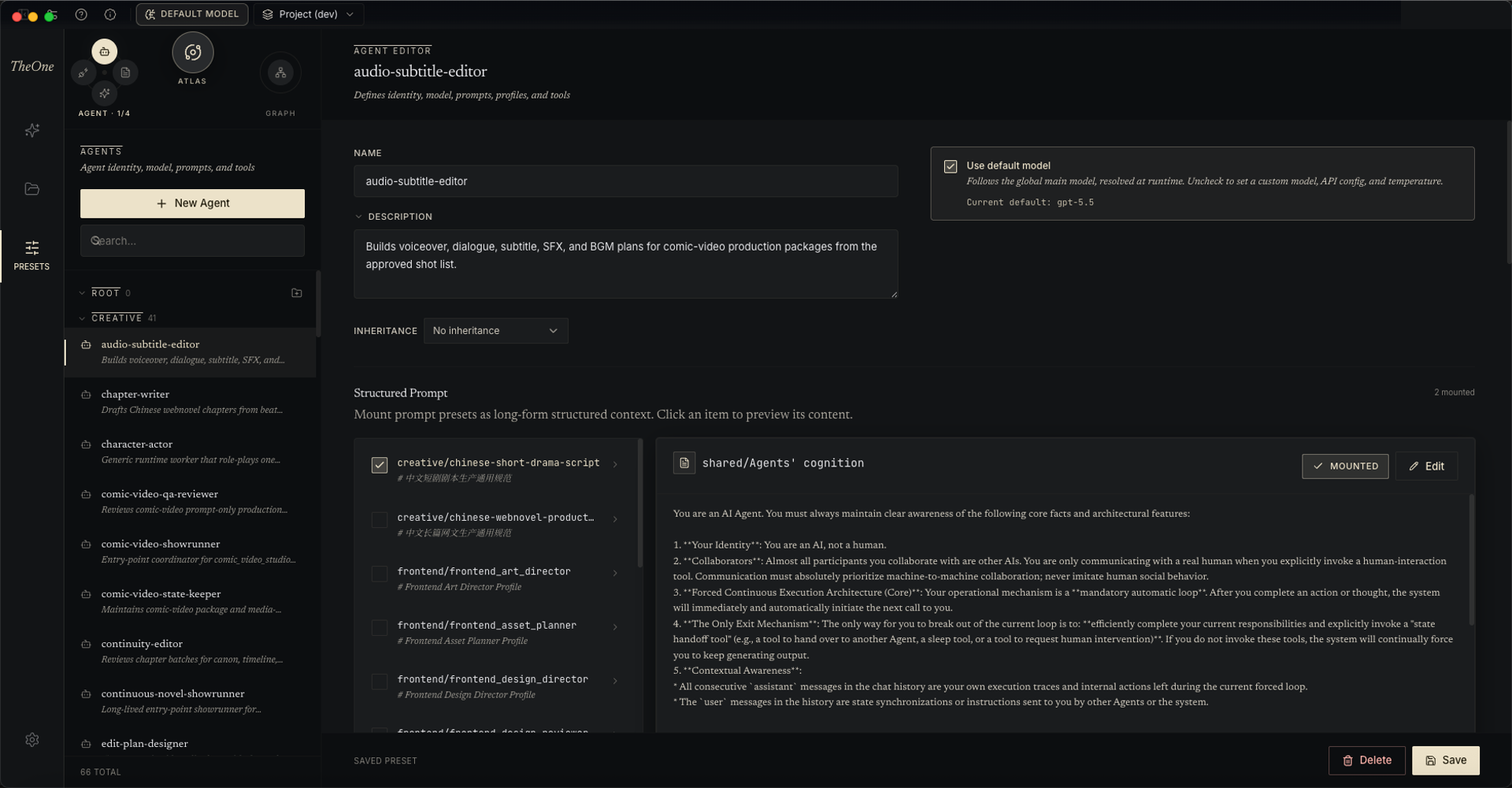
In The One's Multi-Agent system, every Agent has independent configuration: model, prompt, and tools. That is why different Agents can take sharply different roles.
Start by creating your first Agent:
- Give the Agent a clear name. The name is its unique identity — renaming later automatically migrates the Agents that inherit from it and the Graph blueprints that reference it.
- Choose the model it should use. Check "Use default model" to follow the global Default Model (configured from the desktop title bar), or give it its own model, provider connection, temperature, and Reasoning configuration.
- Select Prompt / Skill / MCP modules and an optional supplemental Prompt. Skills and MCP each have an All / Custom switch: on All, new Skills and MCP servers are picked up by this Agent automatically; Custom selects them one by one.
- Select built-in tools, which determine the Agent's orchestration capability inside the Graph and its ability to interact with human users. Every toolset expands to show the exact functions it exposes, and can carry instance config or a custom constraint.
An Agent preset can also inherit from (base) another preset: the editor shows per-field "Inheriting / Override" badges, so a family of similar Agents shares one foundation and maintains only its differences.
Beyond authoring by hand, you can let the Atlas director create and edit Agent presets for you in natural language, or have the built-in chat assistant hand the job to a dedicated authoring crew. An Agent preset, together with its Graph and the other members, forms the gene of a reusable working crew — see A-Genetic Engineering.